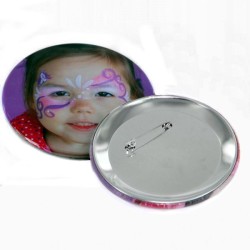
MTD 225 2.25" Button Maker Mounted System
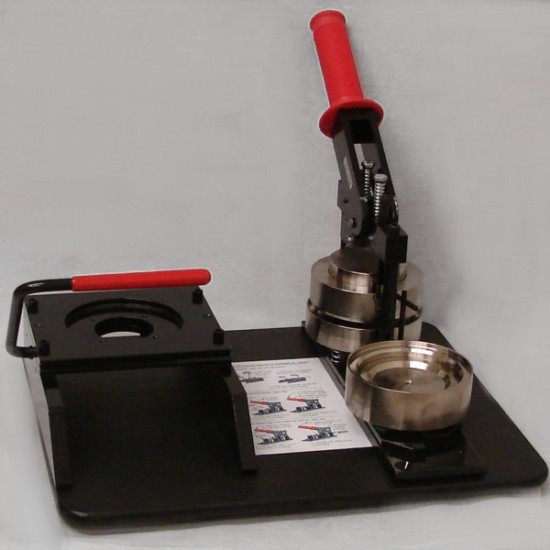
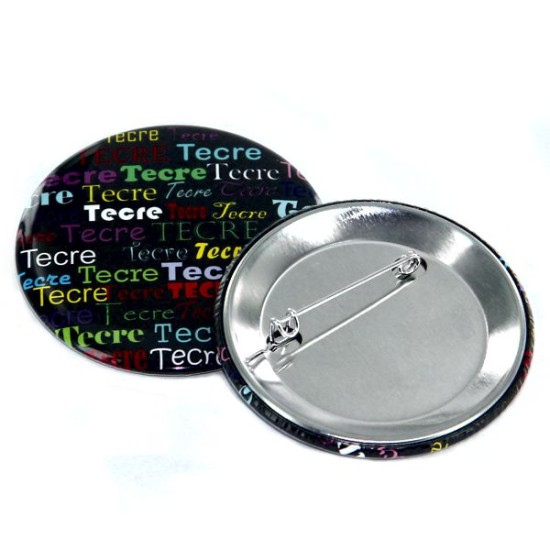


MTD 225 2.25" Button Maker Mounted System
$724.00
- Stock: 1
- Model: MTD 225
- Weight: 23.00lb
- Dimensions: 15.88in x 12.63in x 6.50in
- UPC: 658860274491
The MTD 225 is a compact, mounted 2 1/4" (2.25") round button making system that combines the Model 225 Button Maker with a matching graphic punch cutter—all mounted to a durable HDPE board for stability, easy storage, and transport. This all-in-one setup is ideal for schools, events, fundraisers, small businesses, and high-volume button production.
What’s Included
- Model 225 Button Maker Machine (2.25" round)
- Graphic Punch Cutter (Model 2625 Paper or 2225 Photo, depending on your option)
- Mounted system board (HDPE) with non-marring rubber feet
- Operating instructions mounted directly on the board for quick reference
Key Features
- All-metal construction for durability
- Cam-on-roller design requires very little physical force to operate
- Two-step button making process with a swivel die set to increase speed
- Positive stop ensures upper and lower die alignment
- Rust-resistant plating on dies
- Zero scrap loss engineering—entire circumference punched to exact dimension in one motion
- Cushioned hand grip for comfort during production runs
- Compact, lightweight mounted system for easy storage and transport
- HDPE board with attractive matte finish, rounded corners/edges, and non-marring rubber feet
- Made in USA
Specifications
- Button size: 2 1/4" (2.25") round
- Weight: 23 lbs
- Dimensions: 15 7/8" (L) × 12 5/8" (W) × 6 1/2" (H)
How to Make a Round Pinned-Back Button (Quick Steps)
- Identify the crimp die and the pickup die.
- Rotate the die table so the crimp die is positioned under the upper die.
- Insert a shell into the pickup die (sharp edge facing down). Place the graphic on the shell, then place the mylar on top.
- Rotate the die table one-half turn clockwise until the stop is against the outer column.
- Pull the handle down fully, then return it to the rest position.
- Place a pinned back into the crimp die (sharp edge facing up).
- Rotate the die table one-half turn counterclockwise until the stop is against the outer column.
- Pull the handle down fully, then return it to the rest position.
- Rotate the die table clockwise to remove the finished button.
Tip: For best alignment, keep your graphic orientation consistent and ensure the transfer components are seated cleanly before pressing.